
PHP Cookies: Set, Get, Update & Delete (PHP 8 Guide)
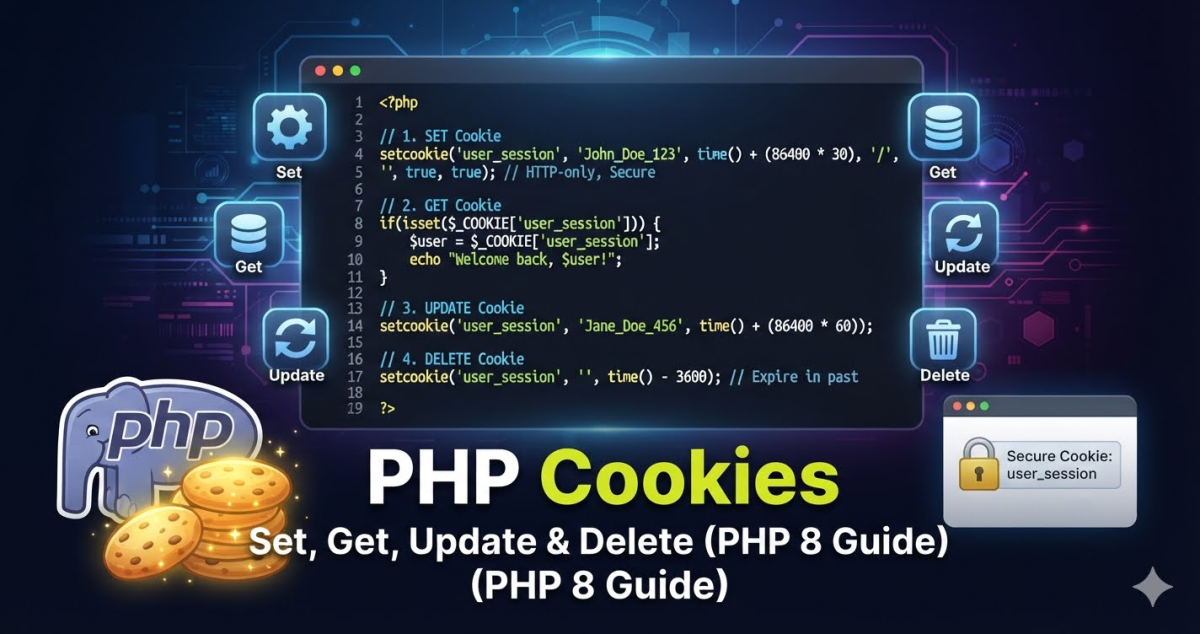
HTTP cookies are how PHP maintains state between requests, remembering a logged-in user, storing preferences, or tracking a shopping cart. They are one of the most fundamental tools in web development, yet they are also one of the most commonly implemented incorrectly.
This guide covers everything you need to manage cookies properly in PHP, including the modern options array syntax introduced in PHP 7.3 + and the security attributes that every production application should be setting.
How PHP Cookies Actually Work
Before touching code, it helps to understand what is actually happening at the HTTP level.
When you call setcookie() in PHP, the function does not write anything to the browser immediately. It schedules a Set-Cookie response header to be sent when PHP flushes its output buffer. The browser receives that header, stores the cookie, and then sends it back on every subsequent request to the same domain as a Cookie request header. PHP then makes all received cookies available through the $_COOKIE superglobal.
This means two things that trip up many developers:
A cookie you set on the current request is not yet available in $_COOKIE on that same request. It only arrives on the next request from the browser.
setcookie() must be called before any output – before any HTML, whitespace, or even a blank line before your opening <?php tag.
The setcookie() Function
Signature (Classic – PHP 4 through PHP 8)
setcookie(
    string $name,
    string $value = "",
    int $expires_or_options = 0,
    string $path = "",
    string $domain = "",
    bool $secure = false,
    bool $httponly = false
): bool
Signature (Options Array – PHP 7.3+, Recommended)
setcookie(
    string $name,
    string $value = "",
    array $options = []
): bool
The options array accepts these keys: expires, path, domain, secure, httponly, and samesite. Any unrecognised key causes a ValueError in PHP 8 (it was an E_WARNING in PHP 7.x).
The options array form is preferred in modern PHP because:
- It lets you set the
SameSiteattribute, which is not available as an individual parameter in the classic signature. - It is more readable when you need to set several attributes.
- It is less error prone – you cannot accidentally shift parameter positions.
Set a Cookie
Basic Example
<?php
// Must appear before any HTML output or whitespace

setcookie('username', 'harish', [
    'expires'  => time() + 3600,   // 1 hour from now
    'path'     => '/',             // available across the entire domain
    'secure'   => true,            // HTTPS only
    'httponly' => true,            // not accessible via JavaScript
    'samesite' => 'Lax',          // controls cross-site sending
]);
setcookie() returns true if the header was scheduled successfully, or false if output had already started. A true return value does not mean the browser accepted the cookie – it only means PHP sent the header.
Parameter Reference
| Option | Type | Description |
|---|---|---|
expires | int | Unix timestamp when the cookie expires. If 0 or omitted, the cookie expires when the browser session ends. |
path | string | The path on the server where the cookie is available. / makes it available across the whole site. /admin/ restricts it to that directory and below. |
domain | string | The domain the cookie is available to. A leading dot (.example.com) historically indicated subdomains, but modern browsers handle this automatically; just pass example.com. |
secure | bool | If true, the cookie is only sent over HTTPS. Always use true in production. |
httponly | bool | If true, the cookie is inaccessible to JavaScript’s document.cookie. This substantially reduces the impact of an XSS attack. Set to true for any cookie that does not need to be read by client-side code. |
samesite | string | Controls whether the browser sends the cookie with cross-site requests. Strict gives the most protection. Lax is a balanced default (sent on top-level navigations). None requires secure to be true or the cookie will be rejected. |
Choosing an Expiry
// Session cookie — expires when the browser closes
setcookie('temp_notice', 'dismissed', ['path' => '/']);

// Persistent cookie — 30 days
setcookie('user_pref', 'dark_mode', [
    'expires'  => time() + (30 * 24 * 60 * 60),
    'path'     => '/',
    'secure'   => true,
    'httponly' => true,
    'samesite' => 'Lax',
]);
Read a Cookie
All cookies sent by the browser are available via $_COOKIE, which is an associative array keyed by cookie name.
<?php

if (isset($_COOKIE['username'])) {
    // Always sanitize before use — cookie values come from the client
    $username = htmlspecialchars($_COOKIE['username'], ENT_QUOTES, 'UTF-8');
    echo 'Welcome back, ' . $username;
} else {
    echo 'No username cookie found.';
}
Important: Cookie values are user supplied data sent in an HTTP header. Never trust them without sanitisation. Do not store sensitive data (passwords, payment details, session secrets) in a cookie’s value use a server side session and only store the session ID in the cookie.
Listing All Cookies
<?php

// Useful for debugging — never leave this in production
foreach ($_COOKIE as $name => $value) {
    echo htmlspecialchars($name, ENT_QUOTES, 'UTF-8')
        . ': '
        . htmlspecialchars($value, ENT_QUOTES, 'UTF-8')
        . '<br>';
}
Update a Cookie
Updating a cookie means calling setcookie() again with the same name. The new call overwrites the existing Set-Cookie header for that name.
<?php

// Overwrite the username cookie with a new value and reset the expiry
setcookie('username', 'new_value', [
    'expires'  => time() + 3600,
    'path'     => '/',
    'secure'   => true,
    'httponly' => true,
    'samesite' => 'Lax',
]);
Use exactly the same path and domain values that were used when the cookie was originally set. If those differ, the browser treats it as a separate cookie and you will end up with two cookies with the same name.
Delete a Cookie
PHP has no dedicated “delete cookie” function. To delete a cookie, you call setcookie() with an expiry time in the past. The browser will see this, recognise that the cookie has expired, and remove it.
<?php

setcookie('username', '', [
    'expires'  => time() - 3600,   // one hour in the past
    'path'     => '/',
    'secure'   => true,
    'httponly' => true,
    'samesite' => 'Lax',
]);

// Also unset from the $_COOKIE array for the current request
unset($_COOKIE['username']);
The unset($_COOKIE['username']) line is optional but useful: it clears the value from the current request’s $_COOKIE array so that any subsequent code in the same request does not still see the old value.
Again, the path and domain here must match the original setcookie() call exactly, otherwise the browser will not know which cookie to expire.
Practical PHP Cookies Example: Remember Me Checkbox
Here is a more realistic use case that ties everything together, a simple “remember me” flow using cookies.
<?php

// login.php — process a login form submission

// In production, validate CSRF token first, then verify credentials against the database.
// This example shows only the cookie-handling part.

$rememberMe = isset($_POST['remember_me']) && $_POST['remember_me'] === '1';

if ($rememberMe) {
    // Generate a secure random token — never store the password in a cookie
    $token = bin2hex(random_bytes(32));

    // Store the token in your database associated with the user ID
    // saveRememberToken($userId, $token); // your own implementation

    setcookie('remember_token', $token, [
        'expires'  => time() + (30 * 24 * 60 * 60), // 30 days
        'path'     => '/',
        'secure'   => true,
        'httponly' => true,
        'samesite' => 'Lax',
    ]);
} else {
    // No persistent cookie — clear it if it was set before
    setcookie('remember_token', '', [
        'expires'  => time() - 3600,
        'path'     => '/',
        'secure'   => true,
        'httponly' => true,
        'samesite' => 'Lax',
    ]);
}
Security Considerations
Use httponly for Authentication Cookies
If a cookie is used to maintain a session or remember a user, it should have httponly set to true. This prevents client-side JavaScript from reading it, so even if an attacker injects a script via XSS, they cannot steal the cookie value directly.
Use secure in Production
A cookie with secure => true is only sent over HTTPS. On a local development environment without HTTPS this will prevent the cookie from working, so it is common to conditionally enable it:
<?php

$isSecure = (isset($_SERVER['HTTPS']) && $_SERVER['HTTPS'] === 'on');

setcookie('session_id', $sessionId, [
    'expires'  => time() + 1800,
    'path'     => '/',
    'secure'   => $isSecure,
    'httponly' => true,
    'samesite' => 'Lax',
]);
Choose the Right samesite Value
Strict: The browser never sends this cookie with cross-site requests. Best for admin cookies, but can feel broken when users arrive via external links (e.g. from an email) because the cookie is not sent on that first navigation.Lax: The browser sends the cookie with top level navigations (clicking a link) but not with embedded requests (image loads, iframes, AJAX from a third-party site). A solid default for most applications.None: Sends the cookie with all requests, including cross-origin ones. Requiressecure => true, otherwise the browser will reject the cookie.
Never Store Sensitive Data in Cookie Values
The cookie value is readable by the user, they can inspect it in the browser’s developer tools. Store a random, opaque token in the cookie and look up the actual data (user ID, permissions) on the server side using that token.
Validate Cookie Data
Before using any $_COOKIE value in a database query, template, or business logic decision, treat it exactly like you would treat $_POST or $_GET data – sanitise and validate it.
Conclusion
PHP’s setcookie() function is straightforward at the surface, but using it correctly requires understanding the HTTP layer it operates on. The key points to take away:
- Call
setcookie()before any output. - Use the options-array syntax (PHP 7.3+) – it supports
SameSiteand is more readable. - Always set
httponly => truefor authentication related cookies. - Always set
secure => truein production (HTTPS environments). - Use
SameSite: Laxas your baseline and upgrade toStrictfor admin cookies. - Treat
$_COOKIEvalues as untrusted user input – sanitise before use. - Match
pathanddomainexactly when updating or deleting.